Understanding tablature helps any musician progress quickly. This system often replaces traditional music notation for string instruments. It shows where to place your fingers and makes riffs more accessible.
This guide explains how to decipher solos, chords, and effects. You will see concrete examples and tips for following a rhythm. Guitar Pro is mentioned as a common tool for editing and sharing .gp files.
The method works for beginners as well as experienced players. It lets you avoid the long step of learning classical music theory. The community in France widely uses this format for its precision and clarity.
In short: learn to decode the symbols and reproduce songs faithfully. This first step makes learning faster and more motivating.
What Is Guitar Tablature?
This system maps out the fretboard to show where to place your fingers and which strings to play. With just a few signs, you can see the exact position and the logic behind the numbers.
It applies to most string instruments: bass, ukulele, banjo, or cigar box guitar. The central principle remains the same. It indicates the string to play and the fret to press.
Advantage: a beginner can apply the notation within minutes and start playing a popular song or a movie theme.
- Simplified view of the fretboard for placing fingers quickly.
- System adopted by most string instrumentalists.
- Makes it possible to transcribe popular styles, soundtracks, and classics.
| Element | What It Indicates | Use |
|---|---|---|
| Lines | Representation of the strings | Visualize the fretboard |
| Numbers | Fret to press | Place fingers precisely |
| Symbols | Techniques (bend, slide…) | Make the performance faithful |
Folk Guitar Tablature: How to Read and Use It Every Day
Each line in the diagram corresponds to a specific string. Understanding this connection turns a sign into a concrete note and makes practice faster.
To learn how to read tablature, start by identifying the lowest string and follow the numbers that indicate the frets.
The acoustic guitar is well suited to this notation. Guitarists often use it to memorize chord sequences without going through music theory.
- A chord can be strummed or played as an arpeggio; the order of the numbers changes the feel of the playing.
- Simplified notation makes it easier to add new techniques.
- With practice, each chord finds its position on the fretboard.
Tip: work slowly, section by section. You will gain accuracy and speed through repetition.
Understanding the Structure of Strings and Frets
Before playing, you need to grasp the system’s visual organization. A simplified staff shows the fretboard laid flat.
Six horizontal lines represent the strings. The bottom line is the low E string. The top line corresponds to the high E string.
The String Layout
The layout follows a precise order. Tablature is read from left to right, like a musical phrase.
- The bottom line = low E; the highest = high E.
- Visualize the fretboard laid flat to better understand the positions.
- A fretboard can have up to 24 frets, which offers a wider range of notes.
The Role of Numbers
Each number indicates the fret to press on a specific string. The number 0 means the string should be played open.
| Symbol | Meaning | Use |
|---|---|---|
| Number | Fret to play on the string | Produce a specific note |
| 0 | Open string | Get a sound without pressing a fret |
| Example | 1, 3, 5… | Identify higher frets on the fretboard |
Note that a sign such as hammer-on is placed between two numbers to indicate a connection between notes.
Differences Between Tablature and Standard Sheet Music
Reading a five-line staff requires a different discipline from following a diagram shown string by string.
Traditional sheet music uses a five-line staff and remains universal for all instruments. It offers more freedom of interpretation, but it often requires years of music theory to master.
The diagram for string instruments, by contrast, shows exactly which fret and which string to use. This allows you to choose the tone and fingering placement, which does not appear on a classical staff.
Guitar Pro can translate these indications into staff notation on the fly. This is useful if you need to pass a piece on to a pianist or other musicians.
- Practical advantage: the system is more accessible for getting started.
- Technical advantage: it specifies the position on the fretboard to obtain an exact tone.
- Limitation: a staff remains necessary for exchanging music with instrumentalists who do not play a string instrument.
To go further, see a complete guide on how tablature works and how musicians use it together.
| Aspect | Standard Staff | String Diagram |
|---|---|---|
| Medium | Universal (all instruments) | Specific to string instruments |
| Information | Pitch of notes, rhythm | Fret, string, tone |
| Accessibility | Requires music theory | More intuitive approach |
| Practical use | Transmission between instruments | Placement precision |
Mastering Chord Reading
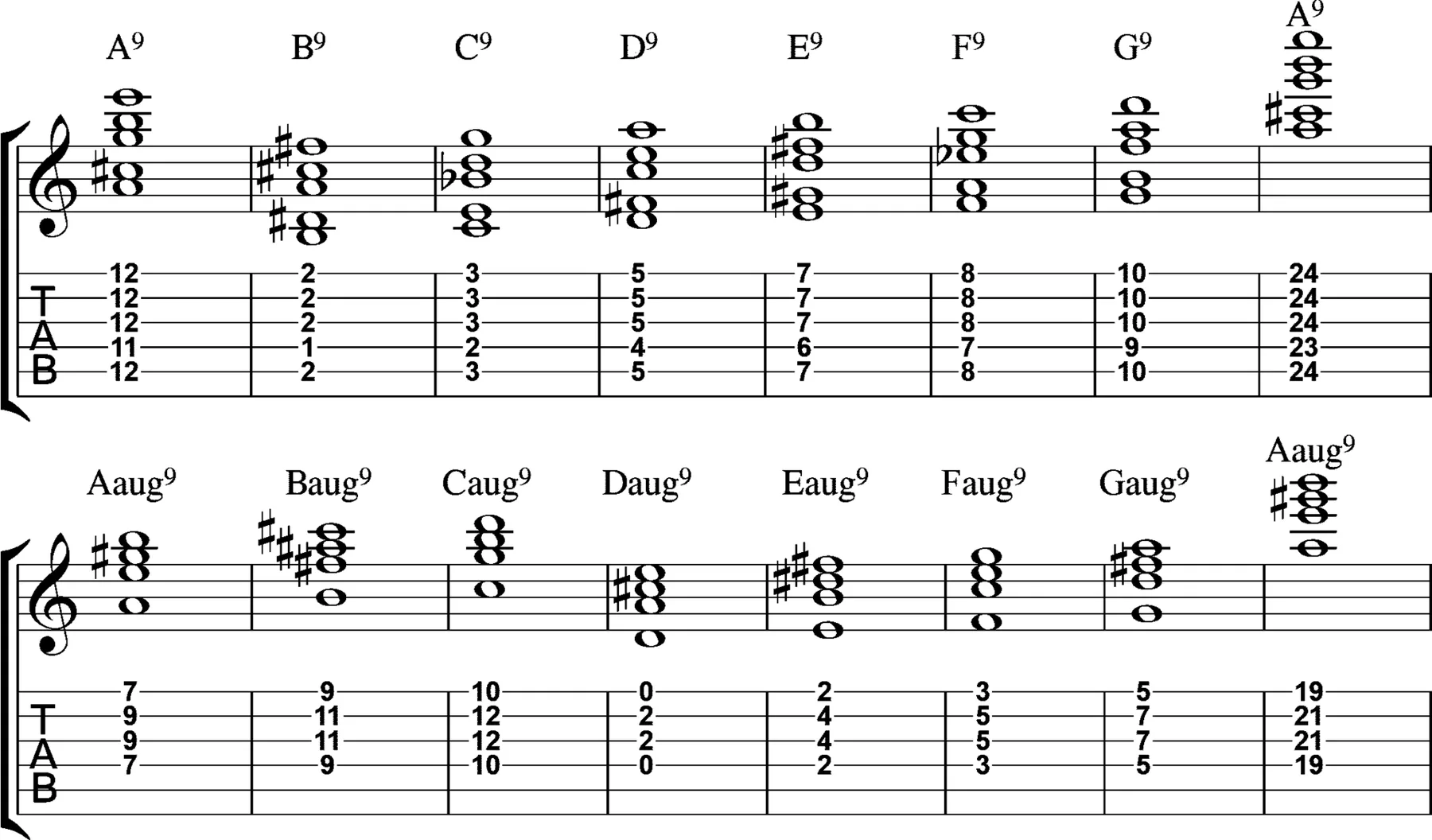
Recognizing a strummed chord turns a sequence of numbers into a musical gesture. On tablature, several numbers aligned vertically mean these notes must ring at the same time.
To play cleanly, the right hand makes a single strumming motion while the left hand holds the finger position on the frets.
Reading Arpeggios
Arpeggios unfold the notes one by one, string by string. They offer a smoother texture than a strummed chord.
- Spot the vertical numbers to recognize a chord.
- Check a chord diagram if the fingering is not clear.
- Practical example: for C major, place your index finger on the B string at the first fret.
- The difference between a riff and an arpeggio lies in the stability of the left hand on the same frets and strings.
| Element | Indication | Use |
|---|---|---|
| Aligned number | Strummed chord | Play simultaneously |
| Separate notes | Arpeggio | Play in succession |
| Diagram | Fingering | Clarify placement |
Decoding Essential Rhythmic Symbols
Knowing how to decipher duration signs helps make each measure coherent and fluid. The indications below the staff show how long each note should ring.
Note Durations
A whole note lasts 4 beats, a half note 2, a quarter note 1, and an eighth note 1/2. Rests have the same values: a quarter rest is worth one quarter note, a half rest one half note.
Example: a quarter note on a string should be held for one full beat; an eighth note requires faster execution.
The Role of Tempo
Tempo is calculated in BPM. 120 BPM means 120 beats per minute. This number defines the speed of the piece and must be respected to keep the same rhythm.
Time Signature
The time signature indicates the number of beats per measure. 4/4 is common in rock and pop. It must be known before approaching a piece in order to manage accents.
| Element | Value | Practical Use |
|---|---|---|
| Whole note | 4 beats | Long notes, phrase endings |
| Quarter note | 1 beat | Regular repetitions |
| Eighth note | 1/2 beat | Fast ornaments |
- Rhythm is often indicated by symbols placed below the tablature to specify the duration of each note.
- The left hand and right hand must work in synchronization to respect rests and speed.
- Hybrid tablatures combine sheet music and diagram notation for complete rhythmic precision.
Left-Hand Playing Techniques
Mastering left-hand gestures turns a simple number into an expressive phrase. These techniques bring notes and riffs to life. They require precision and timing.
Hammer-on: strike a higher fret with a finger without picking the string again. This technique connects two notes smoothly and makes fast passages easier.
Pull-off: this is the opposite of a hammer-on. You release a finger to let a lower note ring. Together, these two gestures create very musical connections.
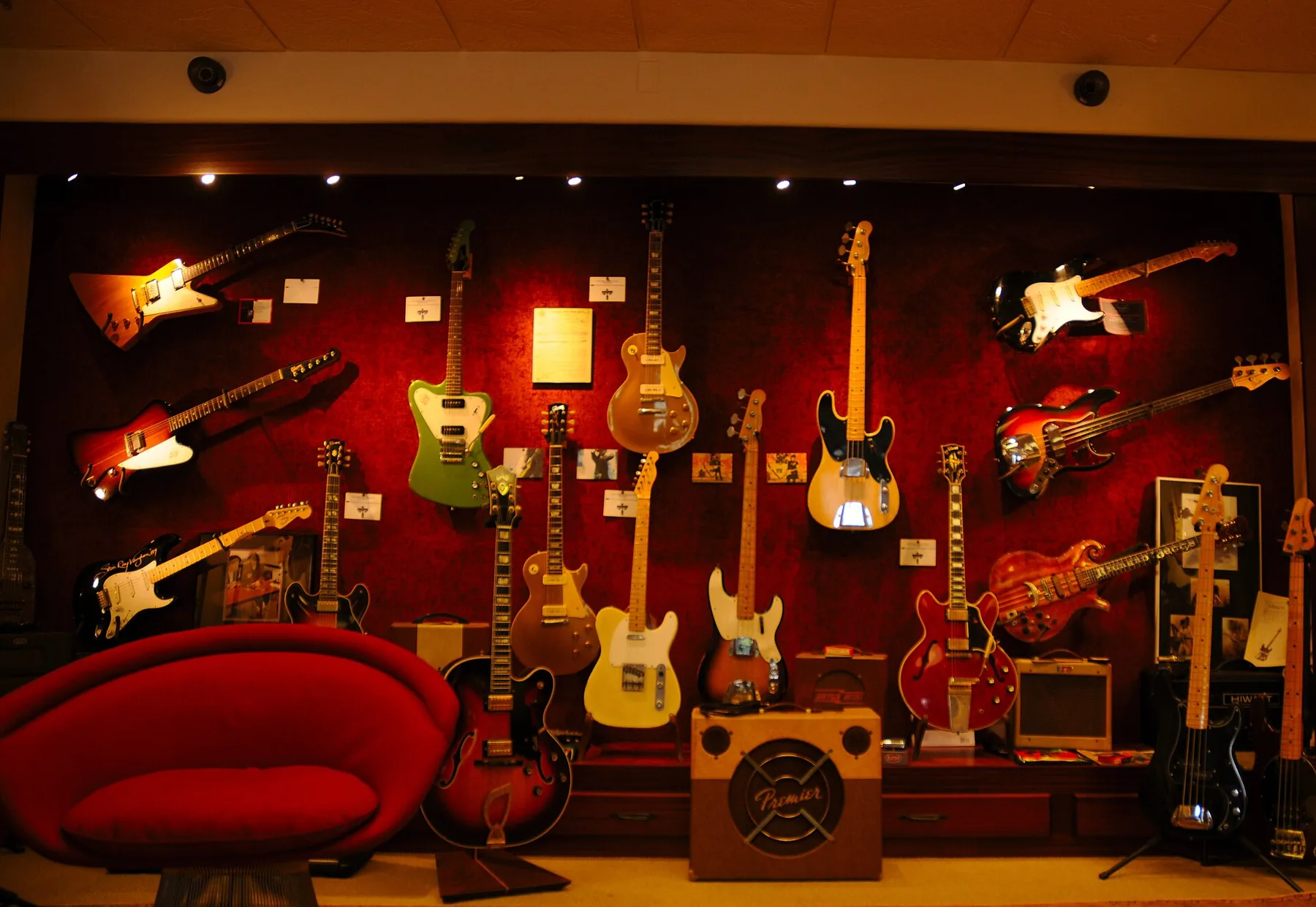
The slide lets you glide from one fret to another on the same string to connect two pitches without a break. Vibrato, written ~, modulates the pitch of a note for more expression.
“The left hand tells the story; the right hand gives it a voice.”
- Tremolo picking consists of striking the same string very quickly to create rhythmic tension.
- Finger precision on each fret of the fretboard ensures the notes are in tune.
- These techniques imitate certain inflections of the human voice and make your playing come alive.
Right-Hand-Specific Playing Effects
The right hand shapes the sound just as much as finger placement does. Here, we detail a few short, effective techniques to spot on tablature.
Palm Mute
Palm mute (P.M.) consists of placing the palm of the right hand near the bridge to mute the strings. This gesture creates a drier, more percussive sound.
In rock and metal, palm mute gives riffs more impact. On sheet music, it is often written P.M. above the notes.
Artificial Harmonics and Other Attacks
Artificial harmonics, written AH, produce a high, whistling sound by lightly touching the string at the moment of attack.
Dead notes (X) provide a percussive sound with no defined pitch. Nirvana uses these X marks to drive the rhythm in Smells Like Teen Spirit, a famous example.
Tapping (t) consists of striking the string on the fretboard with a finger of the right hand to reach distant notes.
| Technique | Symbol | Effect |
|---|---|---|
| Palm mute | P.M. | Muted, more rhythmic sound |
| Artificial harmonic | AH | Whistling, very high-pitched sound |
| Dead note | X | Percussion with no defined pitch |
| Tapping | t | Fast notes on the fretboard |
To deepen your tablature reading, rely on this guide to reading tablature, follow slow exercises, then gradually increase the tempo.
The Different File Formats Available
Depending on your needs, you will choose an easy-to-read format or an interactive file.
ASCII (.txt, .tab): simple and universal. This format uses dashes to represent the strings and numbers for the frets. It requires no software and is easy to share on the Web.
Dedicated files (TuxGuitar, Guitar Pro): these formats let you listen to the piece, display the fretboard in real time, and hide the music notation part if necessary. They offer precise editing of pitch, rhythm, and nuances.
Chords + lyrics: ideal for singing and accompaniment. This format makes it easier to locate chords on the same line, useful for acoustic guitar in a live setting.
- ASCII = simple sharing, reading on any device.
- Dedicated software = audio playback and fretboard visualization.
- Chords + lyrics = practical for singing and following the structure.
Advice: choose legal sources and consult a complete dossier on the different file formats to choose the one that best suits your playing.
Tips for Progressing Quickly with Your Tablatures
Structured, regular work very quickly changes the way you approach a score. Start by listening to the original recording to identify the rhythm and pulse. This helps you understand rhythmic symbols and place each note in time.
Practice basic chords, for example E major and G, in short loops. Repetition improves finger placement and the smoothness of transitions.
Use the palm of your right hand to shape the volume and muting of the strings. It is a simple gesture that changes the feel of the rhythm.
Do not neglect left-hand techniques: hammer-on, pull-off, and slide bring expressiveness to your playing. Work on them slowly, then increase speed with software that slows down difficult passages.
- Do short, regular sessions rather than one long, irregular session.
- Isolate a riff or a measure; repeat it until it is clean.
- Check pitch and accuracy by playing string by string, fret by fret.
“Consistency and precise finger placement often make the difference between amateur and professional.”
| Goal | Method | Result |
|---|---|---|
| Rhythm | Listening + metronome | Better timekeeping |
| Technique | Slow work, then acceleration | Precision and speed |
| Expression | Palm + hammer-on/slide | More nuanced playing |
Conclusion
In the end, this visual system makes it easier to master positions and sequences. It makes learning faster and accessible to beginners as well as experienced musicians.
Key tip: combine reading the numbers on the strings with careful listening to the rhythm to progress quickly.
Explore common techniques such as palm mute, slides, or hammer-on to enrich your sound palette. Dedicated software helps greatly: it offers listening, slowdown, and real-time visualization.
To go deeper, consult a complete guide and practice regularly while varying your sources.
Leave a Reply